
Auto Clicker v2.3.0 APK
February 13, 2026
Information of Auto Clicker APK
|
Name |
Auto Clicker |
|---|---|
|
Google Play Link |
|
|
Developer |
True Developers Studio |
|
Category |
Tools |
| Last version | v2.3.0 |
|
Updated |
|
|
Compatible with |
Android 7.0 + |

- 1What Auto Clicker APK Brings to the Table
- 2Standout Features of Auto Clicker APK
- 2.1No-Root Installation Ready for Most Android Devices
- 2.2Single & Multi-Target Mode
- 2.3Custom Interval & Duration Control
- 2.4On-Screen Floating Panel
- 2.5Gesture Recording & Automation Playback
- 2.6Save & Load Presets (Macro Style Scripts)
- 2.7Multi-Touch Automation Support
- 2.8Adjustable Countdown Timer
- 2.9Simulation Mode for Games
- 2.10Overlay Customization
- 2.11Background Automation Support
- 2.12Click Speed Range from Slow to Ultra-Fast
- 3Real Scenarios Where Auto Clicker APK Shines
- 4How to Use Auto Clicker APK Like a Pro
- 5Tips for Better Automation Performance
- 6Closing Thoughts
Android users who perform repetitive tasks or play idle games know how tiring constant tapping can be. Auto Clicker APK solves this problem by automating screen taps, gestures, swipes, and interaction sequences without requiring manual input. This tool functions as a digital automation assistant, ideal for gaming, productivity routines, and tap-based actions that require repetition. The following article explores how Auto Clicker APK works, what features it offers, and how it can enhance everyday Android usage.
What Auto Clicker APK Brings to the Table
Designed for Hands-Free Tapping and Swiping
Auto Clicker APK automates repetitive screen interactions. Once configured, it can tap continuously at selected points on your display, swipe across the screen, perform gestures, or even loop sophisticated sequences depending on the setup. Users who farm resources in idle games, redeem flash-sale promotions, or fill forms repeatedly can save significant time by letting automation handle the work.
Ideal for Gamers, Multi-Taskers, and Efficiency Seekers
Gamers benefit most from this app. It eliminates the need for constant tapping during resource farming or leveling. Multi-taskers who frequently switch apps also enjoy hands-free workflows while Auto Clicker APK completes interactions in the background. For productivity-focused users, it helps automate data entry flows, repetitive approvals, or navigation actions.
Standout Features of Auto Clicker APK
No-Root Installation Ready for Most Android Devices
Auto Clicker APK works on Android 7.0+ without root access. Installation is simple, making it accessible even for beginners.
Single & Multi-Target Mode
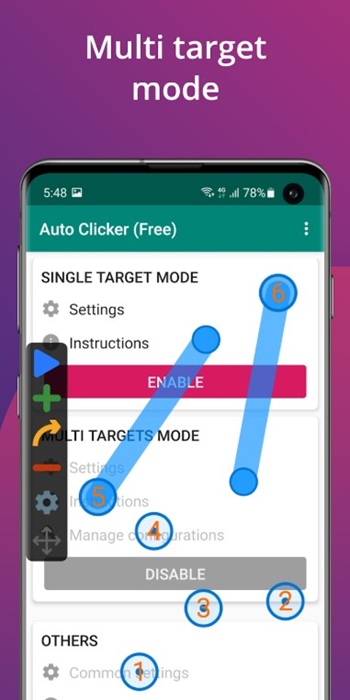
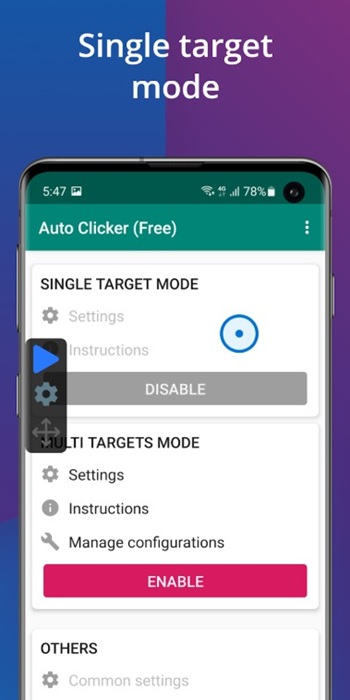
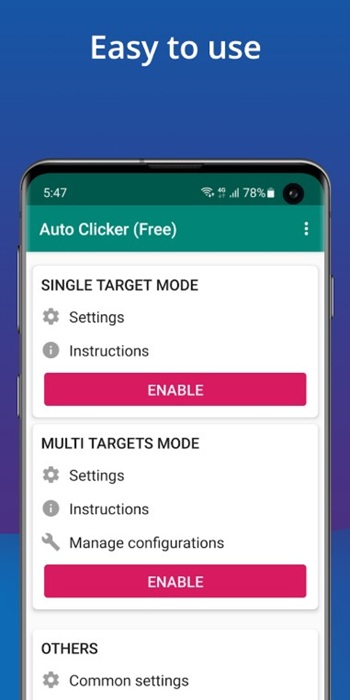
Configure one click point or create multiple click points across different UI positions. This is valuable for games that require tapping multiple resources or hitting different areas during gameplay.
Custom Interval & Duration Control
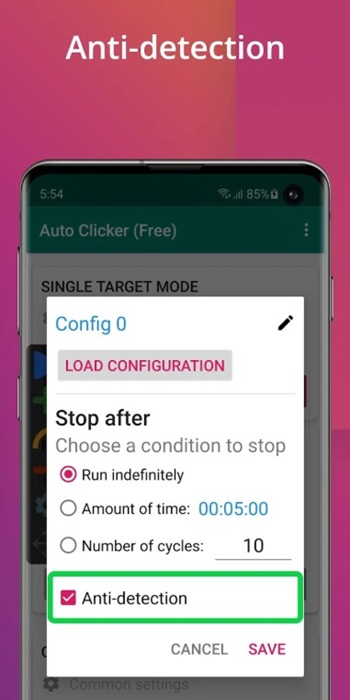
Control tap frequency, time delay between taps, number of cycles, and session duration. Fine adjustments help users automate both fast-clicking and slow rhythmic tapping.
On-Screen Floating Panel
An overlay control panel stays visible during use. It can be moved to any part of the display, allowing users to start, stop, or change tap behavior instantly without leaving the app they are automating.
Gesture Recording & Automation Playback
Auto Clicker APK does more than taps. Users can record swipes, drag gestures, hold interactions, and replicate them on command. This feature works like an automated playback script for complex tasks.
Save & Load Presets (Macro Style Scripts)
Users may record their automation once, save it as a preset, and load it later. It avoids reconfiguration every time and is great for daily game automation routines.
Multi-Touch Automation Support
Applications and games that use multiple touchpoints simultaneously benefit from multi-touch sequences. It supports synchronized tapping for advanced interactions.
Adjustable Countdown Timer
A built-in timer enables Auto Clicker APK to start or stop tap sequences automatically. Useful for overnight farming or scheduled automation tasks.
Simulation Mode for Games
Some versions include tap patterns that emulate human-based interactions, producing more natural behavior during gameplay.
Overlay Customization
Users can change UI transparency, resize the floating panel, reposition buttons, and design layouts that match their workflow.
Background Automation Support
On compatible devices, Auto Clicker APK can continue performing tasks even when the screen dims or the user switches tasks.
Click Speed Range from Slow to Ultra-Fast
Adjust click speed from milliseconds to several seconds. This ensures compatibility with different app environments and gameplay strategies.
Real Scenarios Where Auto Clicker APK Shines
Idle Games & Resource Farming
Auto Clicker APK can grind resources continuously in idle games. Players who need repetitive taps to collect rewards, attack enemies, or unlock levels will gain speed and efficiency without effort.
Flash Sale & Coupon Grabbers
During flash promotions, rapid tapping can increase winning chances. Application APK handles automatic tapping at ultra-speed, giving users a better chance during competitive claim events.
Social Apps, Likes, Scrolling & Reactions
It supports automated scrolling and tapping for content browsing or engagement actions.
Form Filling & Productivity Workflows
Repetitive UI tasks like approving requests or entering data become faster. Automation improves workflow efficiency for routine tasks.
How to Use Auto Clicker APK Like a Pro
Install, Activate Accessibility & Launch
Download Auto Clicker APK, enable Accessibility permission, and launch the tool. No root access is required.
Place Your Tap Points & Adjust Timers
Open the floating menu, set taps on required areas, and configure delay and duration based on your task requirement.
Create an Auto-Click Macro
Record gesture paths and save them for future use. Useful for gameplay that requires continuous interaction.
Optimize for Game Specific Needs
High-speed tapping fits resource farming, while slower intervals support strategic gameplay patterns.
Tips for Better Automation Performance
Create Presets for Different Games or Tasks
Keep multiple saved configurations for one-tap access depending on your activity type.
Use Smart Trigger Settings
Use countdown timers to start or stop automation while multitasking or performing long-term tasks.
Combine Click Patterns for Complex Jobs
Multiple points and gestures produce multi-step automation. Users can build advanced routines for optimal control.
Closing Thoughts
The Auto Clicker APK app stands out as a powerful automation tool, transforming Android devices into productivity tools. Gamers, multitaskers, and anyone who frequently performs screen taps will benefit from improved speed and a hands-free workflow. With features like multi-touch automation, gesture recording, time control, macro settings, and background automation support, the app offers flexibility and convenience for a variety of use cases. For repetitive tasks or long work sessions, Auto Clicker APK becomes one of the most effective automation solutions available on Android. Alternatively, you can also use another similar app with some additional features called Ketobl.